
 See Our Latest Article on HelloNation
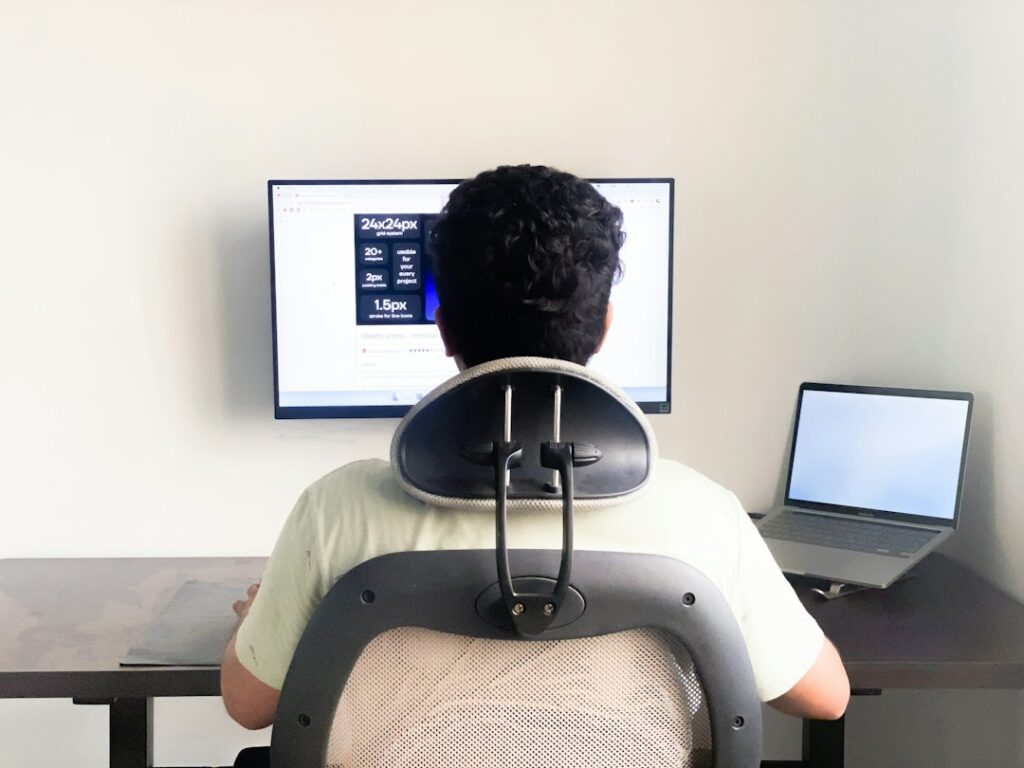
What does “tech neck” mean?
Tech neck describes neck, shoulder, and upper-back discomfort associated with prolonged screen use. It often develops when a person spends extended periods looking down at a phone, leaning toward a laptop, or holding the head in one position while working, studying, gaming, or watching videos.
The term can be useful, but it should not suggest that a single posture is automatically harmful. The body can tolerate many positions. Problems are more likely when a position is held for too long, repeated without breaks, or combined with poor sleep, stress, limited physical activity, or an awkward workstation.
For residents of Wheatfield, NY, screen habits may shift with the seasons. Cold weather can mean more time indoors using laptops, tablets, and phones, while summer schedules may involve longer driving, travel, or outdoor activities followed by evening screen use. The goal is not perfect posture all day. It is regular movement and less prolonged strain.
What are common signs of screen-related neck strain?
Typical symptoms include:
- Aching or tightness in the neck
- Soreness across the shoulders or upper back
- Headaches that begin near the base of the skull
- Reduced ability to turn or tilt the neck comfortably
- Tingling, burning, or fatigue in the arms
- Symptoms that worsen after computer or phone use
Some people notice discomfort during screen use, while others feel it later in the day. Pain may also be linked to the way a person sits on a couch, works at a kitchen table, carries a bag, or sleeps after spending hours looking down.
Neck discomfort is not always caused by technology. Muscle strain, joint irritation, headaches, nerve involvement, arthritis, an injury, and other health conditions can produce similar symptoms.
How should a computer workstation be arranged?
A workstation should allow the head and neck to remain balanced over the torso without repeated bending, twisting, or reaching. Small adjustments can make a home office, classroom desk, or kitchen workspace more comfortable.
Try these basic changes:
- Place the monitor directly in front of the body rather than off to one side.
- Keep the top of the screen at or slightly below eye level.
- Position the screen close enough to read without leaning forward.
- Keep the keyboard and mouse near enough that the elbows stay close to the body.
- Let the shoulders relax instead of lifting them toward the ears.
- Support the lower back with the chair or a small cushion.
- Keep both feet supported by the floor or a stable footrest.
- Move frequently between sitting, standing, and walking when possible.
A laptop often creates a tradeoff: raising the screen may improve neck position while making the keyboard harder to use. For longer work sessions, a separate keyboard and mouse can allow the screen to be raised without forcing the arms and wrists into an awkward position.
Glare can also contribute to leaning. In a room with bright windows or strong winter lighting, adjust the screen or seating position so the display is easy to see without moving the head forward.
How can phone use be made easier on the neck?
Phones are small, portable, and usually held below eye level. That makes them a common source of prolonged downward viewing, especially during texting, reading, scrolling, and video calls.
A more comfortable approach includes:
- Raise the phone closer to eye level rather than bending the neck sharply downward.
- Use both hands for longer messages or reading sessions.
- Rest the arms on a pillow, table, or armrest when practical.
- Increase text size so the device does not need to be held unusually close.
- Use voice-to-text for lengthy messages.
- Change position regularly instead of remaining still while scrolling.
- Avoid holding the phone between the ear and shoulder.
The purpose is not to keep the neck rigid or force an exaggerated “perfect” posture. A relaxed, changing position is generally more useful than trying to maintain one fixed alignment.
How often should screen breaks be taken?
Frequent brief breaks are usually more practical than waiting until the neck hurts. Every 20 to 30 minutes, look away from the screen, relax the shoulders, and change position. A short walk, a few gentle movements, or standing while taking a phone call can interrupt sustained loading.

During longer work periods, consider a simple cycle:
1. Check whether the head has drifted forward.
2. Let the shoulders drop and unclench the jaw.
3. Look across the room rather than only at a nearby screen.
4. Move the neck gently within a comfortable range.
5. Stand or walk for a few minutes.
Breaks do not need to be elaborate exercise sessions. Their main benefit is reducing the amount of time spent in one position.
Which stretches and exercises may help?
Gentle movement can help relieve stiffness and maintain comfortable neck motion. Exercises should be slow and controlled, without forcing a stretch or bouncing.
Examples include:
- Turning the head slowly to the right and left
- Bringing the ear slightly toward the shoulder without lifting the shoulder
- Drawing the chin gently backward, as if making a small double chin
- Rolling the shoulders backward and downward
- Squeezing the shoulder blades lightly, then relaxing
- Walking regularly to involve the neck, shoulders, and upper back in normal movement
Stop an exercise if it causes sharp pain, dizziness, increasing tingling, weakness, or symptoms that travel farther into an arm. People with a recent injury or a known neck condition may need individualized guidance before beginning exercises.
Can sleep and daily routines affect tech neck?
Yes. Poor sleep and low overall activity can make muscles feel more sensitive and reduce tolerance for long periods of sitting. A pillow that leaves the head sharply tilted may also contribute to morning neck stiffness.
Helpful habits include keeping the head and neck reasonably aligned during sleep, changing sleeping positions when needed, staying physically active, and avoiding long stretches of phone use in bed with the neck bent forward. Household tasks such as carrying laundry, shoveling, gardening, or cleaning can also strain the neck when performed while looking down for extended periods.
When should neck pain be medically evaluated?
Mild soreness that improves with movement and workstation changes may settle over several days. Medical evaluation is more appropriate when pain is persistent, repeatedly returns, or interferes with sleep, work, driving, or normal activity.
Prompt attention is especially important for:
- Neck pain after a fall, collision, or other injury
- Numbness, tingling, or weakness in an arm or hand
- Pain that travels from the neck into the shoulder or arm
- Severe headache, fever, dizziness, or problems with balance
- Loss of coordination or difficulty walking
- Sudden or rapidly worsening symptoms
Technology may contribute to discomfort, but labeling every neck problem “tech neck” can overlook other causes. A careful history of screen habits, movement, sleep, injuries, and related symptoms provides a more useful starting point.
